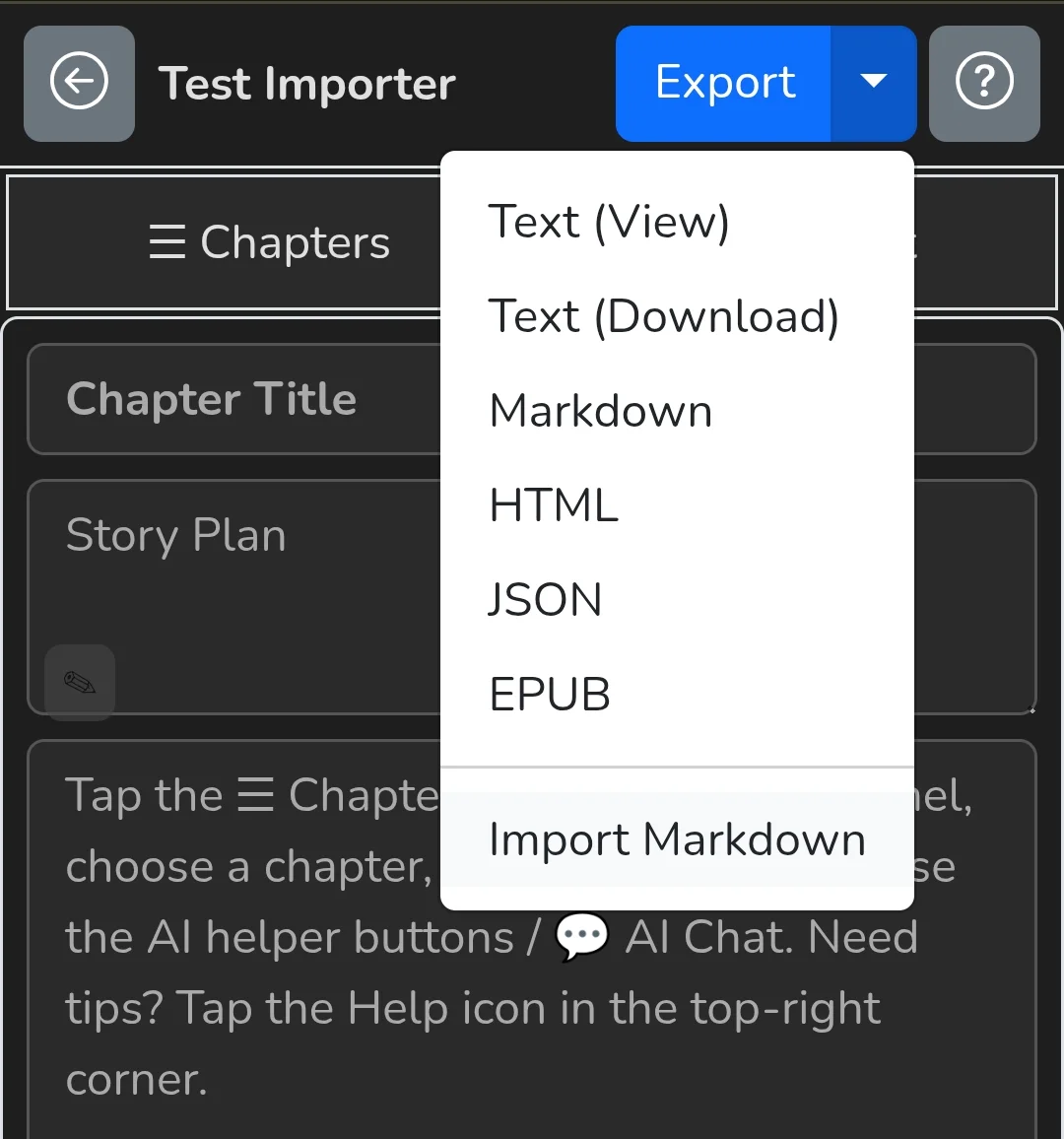
Devlog: Snugly CoWriter now supports Markdown import
Snugly CoWriter just got a major quality-of-life upgrade.
You can now import an existing Markdown (.md) file directly into CoWriter.
What’s new
- Import button added to Snugly CoWriter
- Upload a Markdown file from your device
- The content is automatically parsed and mapped into CoWriter’s internal structure (chapters, sections, flow)
- Once imported, AI assistance continues seamlessly — rewriting, expanding, fixing tone, checking continuity, or continuing the book from where you left off
Why this matters
A lot of users already write in Markdown using their own tools and editors. Until now, moving that work into CoWriter meant copy-pasting or rebuilding structure manually.
Now:
- Start your book anywhere (local editor, Obsidian, VS Code, etc.)
- Import once
- Let CoWriter handle the rest
This makes CoWriter useful not just for starting books, but for continuing, rescuing, or polishing existing long-form projects.
How it works (high level)
- Click Import Markdown
- Upload your
.mdfile - CoWriter analyzes headings and structure
- Content is placed into the CoWriter project format
- AI assistance resumes with full context
No rewrite. No reset. Just continuation.
More improvements coming, especially around structure control and long-form consistency.